A supplier emails to say their bank details have changed. The letterhead is right, the tone is right, the invoice number matches. If your team updates the vendor master file and pays, you may have just funded a fraudster. This guide shows accounts payable, procurement and finance teams how to monitor supplier bank account details in a way that actually works, what you can and cannot check, and how to turn it into a repeatable control. It draws on how Global Database checks and monitors payees for finance and compliance teams across the UK and Europe.
Key takeaways
- No one can "watch" a supplier's bank account for you. What you can monitor is the company behind the account and every request to change the details.
- Treat every supplier bank details change as a fraud attempt until it is verified through an independent channel.
- A bank name check (Confirmation of Payee in the UK, Verification of Payee in the eurozone) tells you the name matches the account. It does not tell you the company is still trading, solvent or legitimate.
- The strongest control combines bank account verification, company registry checks and ongoing company monitoring, with a clear Proceed / Review / Hold decision before money moves.
Why supplier bank details are the number one target
Mandate fraud, invoice redirection and vendor email compromise all end in the same place: a changed sort code and account number, or a new IBAN, in your vendor master data. Criminals do not need to hack your bank. They only need someone in accounts payable to accept a change request.
Business email compromise: reported losses and complaints, 2020–2025
Hover or tap the bars to see each year. Losses keep climbing even when complaint numbers flatten, because each successful attack is bigger.
Figures are losses reported to the FBI Internet Crime Complaint Center. Most victims never report, so real losses are higher.
In the UK, the picture is mixed. UK Finance data shows invoice and mandate scam losses fell 24% year on year in the first half of 2025 to £19.9 million, but the number of cases rose to 3,083 from 2,817. In the first half of 2024, 78% of invoice and mandate losses happened on business accounts. Fraudsters are sending more attempts; better controls are catching more of them. The businesses that still lose money are the ones relying on a single check, or none.
The honest part: you cannot monitor a bank account directly
Many vendors talk about "bank account monitoring". In practice, banks do not publish a feed that tells you when a supplier closes an account, opens a new one, or when a fraudster opens an account in a similar name. Account data is private. What a business can do is:
- Verify the bank account at onboarding and at the moment of any change (does the account exist, and is the name on it the supplier's legal name?).
- Monitor the company that owns the account, using official company registry data and risk lists, and treat material changes as a trigger to re-verify.
- Control the change process so no bank detail can be edited without independent verification and a second approver.
That shift, from "monitor the account" to "monitor the payee and re-verify on triggers", is the core of a modern know your payee process.
The good news is that most problems with a supplier's bank details don't start at the bank. They start in the company: it is failing, it has been taken over, someone is impersonating it, or it has become a party you can't legally pay. Each of those leaves a footprint in public records, usually before any money moves.
That gives you a practical rule: when the company changes, the bank details on file stop being "known good". The six triggers below are the changes worth watching, and what to do when each one fires.
6 supplier triggers you can monitor (and what each one means for your payments)
All six are tracked by Global Database company monitoring from official registry filings and sanctions lists. Two of these supplier monitoring triggers call for an immediate Hold; the other four call for a Review and re-verification before the next payment.
Company status change
Strike-off, dissolution, liquidation or administration is the clearest warning a registry gives. A company on its way out should not be issuing invoices or opening new accounts. If it is, it is winding down, or someone is using its name.
Registered address change
Usually routine, but often part of impersonation: fraudsters move the address so letters and verification calls reach them. A change just before a bank details request is a strong warning.
Industry change
If the registered activity (SIC or NACE code) shifts to something unrelated to what the supplier sells you, it can mean a new business model, a repurposed dormant company or a shell.
Ownership change
New shareholders, beneficial owners, directors or a new parent company change who controls the money. Takeovers are a common moment for banking to move, and hijacked companies usually show new officers first.
PEP or sanctions listing
A supplier that was clean at onboarding can become a problem overnight. Paying a sanctioned party can be a legal breach, however genuine the invoice.
Revenue decline year on year
A sharp fall in the latest filed accounts signals distress. Struggling suppliers switch banks, sell invoices to factoring firms or ask for upfront payment, and each is a legitimate-looking reason to pay somewhere new.
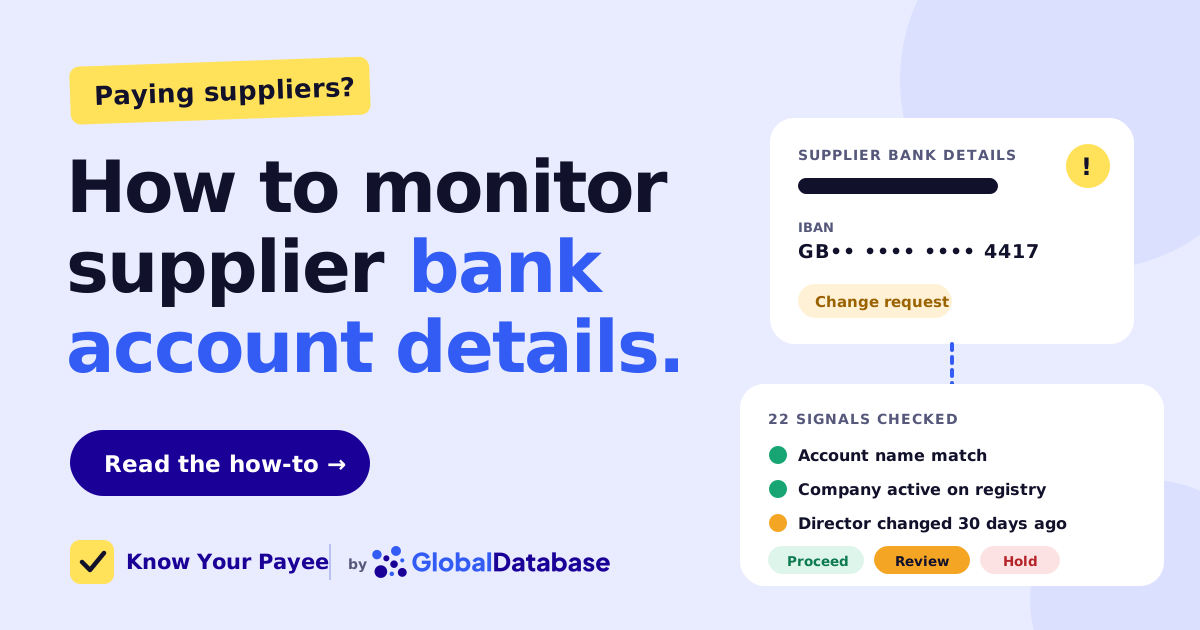
Here is what one of these alerts looks like when it is wired into an AP workflow:
Illustrative example with a fictional supplier.
How a supplier bank details fraud typically unfolds
The AFP 2026 survey found 85% of organisations received spoofed emails in 2025, and more than half saw emails from domains that differed from the real one by only a letter or two. That is why the "reply to confirm" step fails: you are confirming with the fraudster.
What to monitor: the signals that should trigger re-verification
Use this table to set up your supplier monitoring. Each signal on its own is not proof of fraud, but each one is a reason to stop and re-verify the bank details before the next payment.
| Signal | Where it comes from | Why it matters | Default action |
|---|---|---|---|
| Request to change bank details | Email, supplier portal, letter, phone | The single most common fraud entry point | Review always |
| Bank name check returns no match | Confirmation of Payee / Verification of Payee / account validation | Name on the account is not your supplier | Hold |
| Bank name check returns close match | Same | Could be a trading name, or a deliberately similar name | Review |
| Status change: proposal to strike off, dissolved or in liquidation | Company registry, insolvency notices | A closed company should not be receiving new payments | Hold |
| Sanctions or watchlist match on company, director or owner | Sanctions and PEP lists | Paying could be a legal breach | Hold |
| Director or shareholder change | Company registry filings | Change of control is a classic moment for diversion or a hijacked company | Review |
| Beneficial owner (UBO) change | Registry / UBO registers | New owners can mean new bank arrangements, or a front | Review |
| Registered address change | Company registry | Often precedes or accompanies impersonation | Review |
| Industry (SIC / NACE) change | Company registry | Activity no longer matches what you buy; possible repurposed or shell company | Review |
| Year-on-year revenue decline | Filed accounts, financials | Distressed suppliers switch banks, factor invoices or fail | Review |
| Overdue accounts or other distress signals | Filings, gazettes, court data | Late filings and court actions often precede insolvency | Review |
| New account in a different country from the company | IBAN / account country vs registry country | Cross-border redirection is a strong fraud marker | Review |
| Dormant supplier suddenly invoicing | Your ERP payment history | Old vendor records are easy to hijack | Review |
Try it: would you pay this supplier today?
Tick the signals that apply to a supplier payment you are about to release. The tool applies the same logic described in this guide and returns a Proceed, Review or Hold decision.
Illustrative decision logic for training and process design. Your own risk appetite and thresholds should set the final rules.
Know Your Payee checks the bank account and the company behind it in one step, then gives your AP team a clear Proceed / Review / Hold recommendation built on 22 risk signals.
- Bank account verification in 49 countries, extending your UK Confirmation of Payee and EU Verification of Payee results
- Company status, directors, shareholders, UBOs, group structure and filed accounts from 400+ official registries
- Ongoing payee monitoring after approval, with alerts pushed to your webhook
How to monitor supplier bank account details: an 8-step process
This is the process we recommend to accounts payable and procurement teams. It works whether you pay 50 suppliers or 50,000, and it maps directly onto most ERPs.
-
Lock down your vendor master data
Bank details should live in one place, and changing them should be a controlled event.
- Restrict who can edit supplier bank fields; separate "request" from "approve".
- Require dual approval (four-eyes) for every bank detail change.
- Log every change with who, when, old value, new value and evidence.
- Never accept bank details in the body of an email or on an invoice alone.
-
Verify every supplier at onboarding
Supplier onboarding is where you set the baseline you will monitor against.
- Confirm the legal entity on the official company registry: name, number, status, registered address.
- Run a bank account verification: does the account exist and is the account holder name your supplier's legal name?
- Screen the company, its directors and beneficial owners against sanctions and PEP lists.
- Store a verified phone number from a source you control (contract, registry, previous verified contact), not from the email that sent the details.
-
Tier your suppliers by risk
Not every supplier needs the same scrutiny. Focus effort where payments are largest or most frequent.
- High risk: large or regular payments, overseas accounts, recent onboarding, critical suppliers.
- Medium risk: regular domestic suppliers with moderate spend.
- Low risk: small, infrequent payments to long-standing suppliers.
-
Switch on company monitoring
Because you cannot watch the account, watch the company. Subscribe each supplier to alerts on the six triggers above: status, address, industry, ownership, PEP and sanctions listings, and revenue decline. When an alert fires, re-verify the bank details before the next payment.
-
Handle every change request the same way
Use a fixed playbook so that nobody improvises under pressure.
- Call the supplier back on the number already on file. Never use contact details from the change request.
- Ask for the change on company letterhead and match it to registry data.
- Run a bank name check on the new account before saving it.
- Consider a short cooling-off period and notify the supplier's known contact that a change was made.
-
Re-verify before every payment run
Run your payment file through a batch check before it goes to the bank. This catches details that were changed between runs, and suppliers whose company status changed since onboarding. In the eurozone, it also reduces avoidable Verification of Payee close-match and no-match outcomes at the bank.
-
Keep an audit trail
Record each check, the result, the decision and the approver. Auditors, insurers and, after an incident, your bank will ask for it.
-
Review and train
Report monthly on change requests received, verified, rejected and held. Share real examples with AP staff. Attack patterns change, and the people releasing payments are your last line of defence.
How often should you re-verify supplier bank details?
| Supplier tier | Bank account check | Company monitoring | Full re-review |
|---|---|---|---|
| High risk | Before every payment run and on every change | Daily alerts | Every 6 months |
| Medium risk | On every change and on any company alert | Daily or weekly alerts | Annually |
| Low risk | On every change and before the first payment after 6+ months of inactivity | Weekly alerts | Every 2 years |
What bank name checks tell you, and what they don't
Name-matching services have made a real difference. The UK's Confirmation of Payee has been in place since 2020 and now covers almost all UK payments. Across the eurozone, Verification of Payee became mandatory on 9 October 2025 for every SEPA credit transfer and SEPA instant transfer in euro, under the Instant Payments Regulation. Non-euro EU countries follow later.
But early results show how often a name check is inconclusive.
Verification of Payee outcomes after go-live
Switch between markets. Roughly one check in three is not a clean match, which means a human has to decide.
Early figures published by the Luxembourg Bankers' Association and from STET's processing of around 180 million French checks. Categories differ slightly by provider.
| Question | Bank name check (CoP / VoP) | Company registry data | Ongoing company monitoring |
|---|---|---|---|
| Is the name on the account my supplier's name? | ✅ Yes | — | — |
| Does the supplier legally exist? | ❌ No | ✅ Yes | ✅ Yes |
| Is it still active, or dissolved / in liquidation? | ❌ No | ✅ At the time of the check | ✅ Alert when it changes |
| Who are the directors and owners? | ❌ No | ✅ Yes | ✅ Alert when they change |
| Is anyone sanctioned? | ❌ No | ⚠️ Needs screening | ✅ With continuous screening |
| Works for non-UK / non-euro payments? | ⚠️ Varies by country | ✅ Depends on registry coverage | ✅ Depends on registry coverage |
| Can I run it on a whole payment file? | ⚠️ Depends on your bank or provider | ✅ Via API or bulk | ✅ Via API or bulk |
Limitations to plan for
- Close matches are a grey zone. Trading names, abbreviations and "Ltd" vs "Limited" create legitimate close matches. Fraudsters exploit the same gap with near-identical names.
- A match is not a clean bill of health. An account in the right name can still belong to a company that was taken over, is insolvent, or is being impersonated by insiders.
- Coverage is uneven. Name checks are strongest in the UK and eurozone. For many other countries, you will rely on account validation through partners and on registry data.
- Registries differ. Update speed, available fields (officers, owners, financials) and access rules vary by country. Some registries publish beneficial ownership; others restrict it.
- Monitoring only helps if someone acts on it. Route alerts into the AP workflow or ERP, not a shared inbox.
Where to get the data
| Data you need | Typical source | Watch out for |
|---|---|---|
| Account holder name match | Your bank's CoP / VoP service, or an account validation provider | Often single payments only; limited outside UK and eurozone |
| Legal entity, status, address | National company registries (e.g. Companies House) | Different formats and identifiers in every country |
| Directors, shareholders, UBOs | Registries and beneficial ownership registers | Access restrictions and gaps in some jurisdictions |
| Group structure | Filings and corporate linkage data | Hard to assemble manually across borders |
| Financials and distress | Filed accounts, gazettes, court records | Small companies file abridged accounts |
| Sanctions and PEPs | Government and international lists | Lists change often; name matching needs tuning |
Pulling all of this together by hand for every supplier, and keeping it current, is where most teams give up. That is the gap a single payee check closes.
How Global Database helps: 22 signals in one payee decision
Global Database is a company data provider that collects official records from company registries worldwide and keeps them current, so finance, compliance and risk teams can verify and monitor the businesses they work with. Know Your Payee is built on that data.
Know Your Payee runs the bank account check and the company checks together, so the answer to "can we pay this supplier?" comes back as one decision instead of five separate lookups. Behind it sit 22 entity risk signals in five groups:
- Bank name match
- Registry status
- Incorporation age
- Lookalike name
- VAT and contact footprint
- Director churn in the last 12 months
- Beneficial ownership of 25% or more
- Date-of-birth anomalies
- Group structure
- Serial company formation
- Short-lived companies
- Directorships at inactive companies
- Appointments in secrecy jurisdictions
- Shared registered address
- Registered-office change since monitoring began
- Secrecy jurisdictions in the group
- Multi-country footprint
- Overdue accounts
- Filing gaps
- Dormancy and reactivation
- Negative net assets
- Undisclosed revenue under small-company exemptions
signals, checked at onboarding and re-checked by ongoing monitoring
The signals feed five assessments, which are reported side by side rather than added up into a single score, so a reviewer can see exactly why a payee was stopped:
Stop condition The first three can block a payment on their own. Informs The last two guide the reviewer.
Coverage spans bank account verification in 49 countries and company data from 400+ official registries across 200+ countries and territories, including the UK and across the EU. You can test it on your own history first: a six-week back-test runs on your past payees with no integration work.
Check a single payee through the API, send a CSV of your vendor master file and get results back, or embed checks next to the Verification of Payee results your bank already returns. Then keep every supplier monitored with registry-grade data.
Supplier bank details change: a quick checklist
- Never update bank details from an email alone
- Call back on a number already on file
- Run a bank name check on the new account
- Confirm the company is active on the registry
- Check for status, address, industry or owner changes
- Screen against sanctions and PEP lists
- Flag accounts in a different country
- Get a second approver to sign off
- Tell the supplier's known contact a change was made
- Re-check the payment file before release
- Keep monitoring the supplier after approval
- Log every step for audit
Frequently asked questions
How do you monitor supplier bank account details?
You cannot watch a supplier's bank account directly, because account data is private. Instead, verify the account at onboarding and at every change, monitor the supplier company for status, address, industry, ownership, PEP and sanctions changes and falling revenue, and re-verify the bank details whenever a change request or company alert appears.
How do I verify a supplier's bank details?
Run a bank account verification to confirm the account holder name matches the supplier's legal name, check the company on the official registry, and confirm any change by calling the supplier on a phone number you already hold. Never rely on details sent by email or printed on an invoice.
What is mandate fraud?
Mandate fraud is when a criminal pretends to be a supplier, or someone you pay regularly, and asks you to change the bank account you send money to. Future payments then go to the fraudster's account instead of the real supplier.
What should I do when a supplier asks to change their bank details?
Pause the change, call the supplier back on a number already on file, run a bank name check on the new account, confirm the company is still active, get a second approver to sign off and notify the supplier's known contact that the change was made.
Is Confirmation of Payee enough to stop invoice fraud?
No. Confirmation of Payee confirms that the name matches the account. It does not tell you whether the company is active, solvent, recently taken over or sanctioned. It works best combined with company registry checks and ongoing supplier monitoring.
What is Verification of Payee (VoP)?
Verification of Payee is the EU's mandatory name-check for euro credit transfers, in force in the eurozone since 9 October 2025 under the Instant Payments Regulation. It returns match, close match, no match or verification not possible before a payment is authorised.
How often should supplier bank details be re-verified?
Re-verify on every change request and whenever a company alert fires. For high-risk suppliers, check before each payment run; for low-risk suppliers, check before the first payment after a long gap and run a full review every one to two years.
What is vendor bank account verification?
Vendor bank account verification is the process of confirming that a bank account exists and belongs to the vendor you intend to pay, usually by matching the account holder name and checking the vendor's legal identity before the account is saved or paid.
What are the warning signs of a fraudulent bank details change?
Common signs include urgency, a new email address or lookalike domain, an account in a different country or name, and changes at the supplier company: a status change such as a proposal to strike off, a new registered address or industry, new owners or directors, a PEP or sanctions listing, or a sharp year-on-year fall in revenue.
How does Global Database help monitor supplier bank details?
Global Database's Know Your Payee checks the bank account and the company behind it against 22 risk signals and returns a Proceed, Review or Hold decision. It uses data from 400+ official registries, verifies bank accounts in 49 countries, and monitors suppliers after approval, with results delivered by API, CSV file or webhook alerts into your ERP or AP workflow.