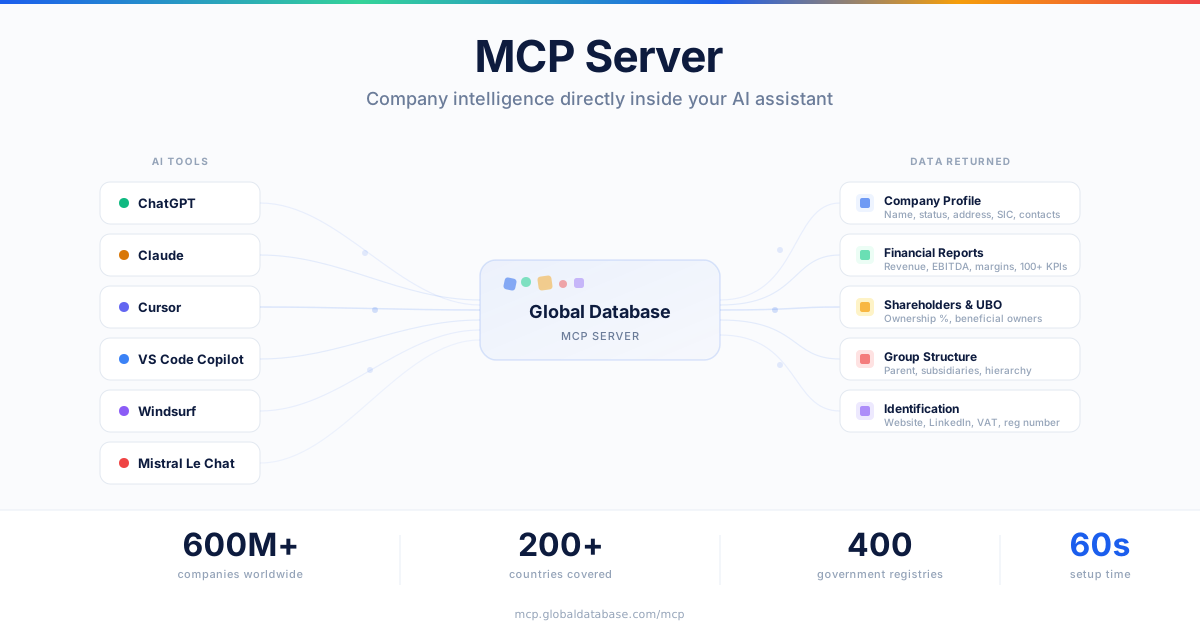
Company intelligence — profiles, financials, ownership, and group structures — directly inside your AI assistant. No code required.
Today we're launching the Global Database MCP Server. It connects our company data — sourced from 400 government registries across 200+ countries — directly into any AI assistant that supports MCP connectors.
That means you can now access information on 600+ million companies without leaving ChatGPT, Claude, Cursor, or any other AI tool you already use. Just type a question in plain English. The AI handles the rest.
What you can do
The MCP Server gives your AI assistant access to five core tools. It chains them automatically — a single prompt can trigger multiple lookups without any manual steps.
Company Profiles
Name, registration number, legal form, status, address, industry, SIC codes, founding date, contacts, social media.
Financial Reports
Turnover, profit, EBITDA, assets, liabilities, equity, employee count, ratios, margins — 100+ indicators with year-over-year changes.
Shareholders & UBO
Shareholder names, share types, quantities, nominal values, ownership percentages, and ultimate beneficial owners.
Group Structure
Parent companies, subsidiaries, corporate hierarchy, and ownership chains across jurisdictions.
A company can be identified by its website URL, LinkedIn page, company name, registration number, VAT number, stock ticker, or email. You don't need all of them — one is enough.
Try these prompts
Here are a few examples of what you can ask your AI assistant once the MCP Server is connected:
Each prompt triggers the relevant tools automatically. The AI figures out which lookups are needed, calls them in sequence, and returns a structured answer — all in seconds.
Compatible tools
The MCP Server works with any AI client that supports MCP connectors:
How to set it up
Setup takes about 60 seconds. No code or developer resources needed.
Why this matters
Compliance teams, analysts, and sales professionals spend hours pulling company data from different platforms, copying it into spreadsheets, and cross-referencing ownership structures across sources.
The MCP Server turns that workflow into a single sentence. Ask a question. Get verified company data back in seconds — sourced from official government registries, not scraped or aggregated from third parties.
Whether you're running KYB checks, preparing for a client meeting, evaluating an acquisition target, or building a competitive analysis — the data is now available wherever you work.