Ask ChatGPT who owns a company, what it filed last year, or whether it is still trading, and you get an answer in seconds. Whether that answer is true is a different question.
General-purpose models answer from training data: a snapshot of the open web, frozen at a point in time. They have no view of most private companies, no filing behind the numbers they produce, and no source to show a compliance team. The fluency is real. The company facts often are not.
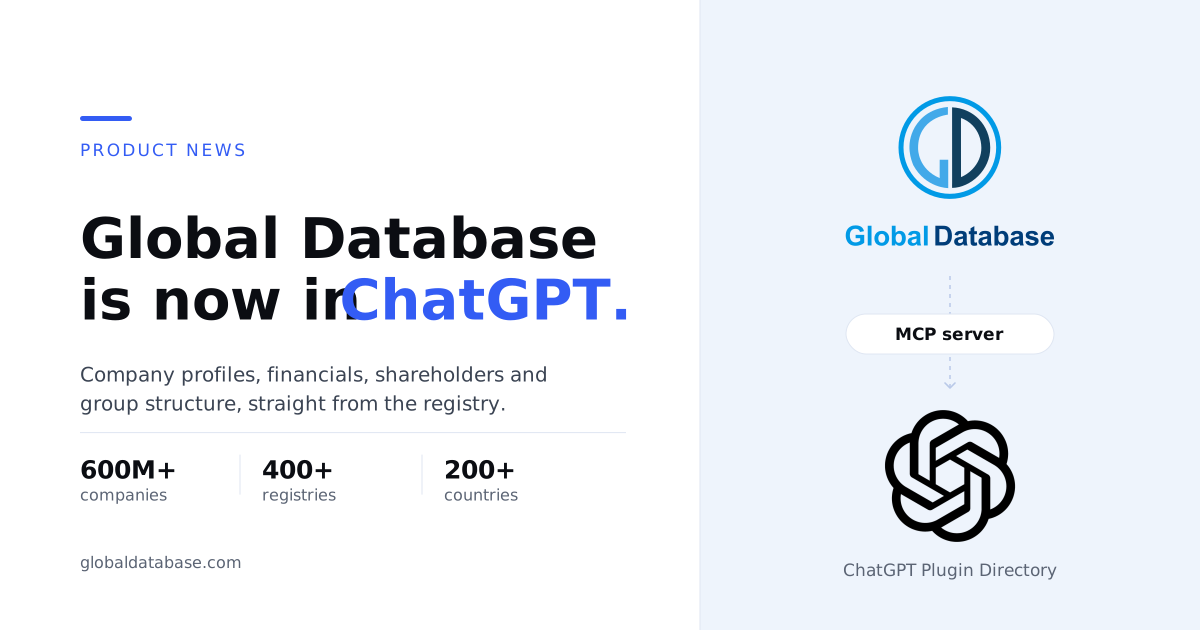
That is the gap this closes. Global Database is now listed in the ChatGPT Plugin Directory. Connect it, and ChatGPT stops guessing about companies and starts reading records sourced first-party from official government registries: company profiles, financial reports, shareholders and group structure, across 600M+ companies in 200+ countries.
OpenAI merged its App Directory into the Plugin Directory on 9 July 2026, and a listing there can package one or more apps, skills and app templates. Under the surface, a plugin that connects ChatGPT to outside data does so through an app built on the Model Context Protocol (MCP), the open standard OpenAI adopted for its Apps SDK in October 2025 and made fully MCP-Apps-compatible in February 2026. Our listing wraps the Global Database MCP server that already runs at mcp.globaldatabase.com/mcp, the same server that serves Claude, Cursor, VS Code Copilot, Windsurf and Mistral Le Chat.
There is no SDK to install and nothing to script. Once connected, ChatGPT can call five tools:
- 1Enrichment by Website URLIdentify a company by its website domain and retrieve its profile.
- 2Enrichment by LinkedIn URLIdentify a company by its LinkedIn page and retrieve its profile.
- 3AutocompleteFind a company by name, registration number, VAT number, ticker or email.
- 4Company FinancialsRetrieve detailed financial reports for a company.
- 5Company OwnershipRetrieve shareholders and group structure for a company.
Five tools is deliberate. The plugin is scoped to the question a ChatGPT user actually asks about a company: who is this, what do its filings say, who owns it. Prospect-list building, monitoring and credit reports stay in the API and the platform.
How a prompt becomes a registry lookup
ChatGPT reads each tool’s metadata, and since May 2026 it also reads the instructions an MCP server returns during initialisation, then decides which tools to call and in what order. A prompt such as “Look up tesco.com and get their financials and ownership” triggers three calls in sequence: identify the company from its domain, pull its financial reports, pull its shareholders and group structure. You see one answer.
Three things are worth being precise about. ChatGPT still writes the prose; the company facts inside it come from the records the tools returned. The tools return records, not opinions: the same profile, financials and ownership data that our API customers receive, sourced first-party from the official registry for that jurisdiction. And a tool call carries the arguments ChatGPT extracts from your prompt, such as a domain, a name and country, or a registration number; that is what reaches the Global Database server.
What ChatGPT can now answer about a company
A company can be identified from any one of eight parameters: country code, name, registration number, VAT number, stock ticker, website, email address or LinkedIn URL. You do not need all of them. A website, a name plus country, or a registration number is enough. Once the company is identified, four records are available.
Company profile. Name, registration number, legal form, status, address, industry, SIC codes, founding date, contact details and social media links.
Financial reports. Turnover, profit, EBITDA, assets, liabilities, equity, employee count, financial ratios and margins: more than 100 indicators, with year-over-year changes.
Shareholders. Shareholder names, share types, quantities, nominal values and ownership percentages.
Group structure. Parent companies, subsidiaries, ultimate beneficial owners and the corporate hierarchy.
Coverage is the same as everywhere else we deliver data: 600M+ company profiles from 400+ official government registries across 200+ countries. Depth varies by jurisdiction because registries publish different things. A UK company will carry filed accounts and persons with significant control; a US company will carry Secretary of State registration data and no filed financial statements, because US states do not require private companies to publish them. The plugin returns what the registry holds and does not invent the rest.
Prompts that work on day one
These are the example prompts from our documentation, grouped by the team most likely to type them.
“Look up the company behind the website tesco.com”
“Find the company with registration number 00445790 in the UK”
“Get the latest financials for Global Database”
“Show me the ownership structure of Tesco”
“Look up apple.com and microsoft.com, compare their financial data for 2023”
“Find all companies linked to linkedin.com/company/global-database. Get their profile, financials, and shareholders”
Put a registry behind the answer.
The plugin does not add a second model or a better guess. It gives ChatGPT tools that return Global Database records for the company you named: profile, financials, shareholders and group structure, sourced first-party from 400+ official registries covering 600M+ companies in 200+ countries. When an answer has to survive an auditor, a regulator or a credit committee, that is the difference between a plausible sentence and evidence.
You will be asked to connect Global Database when you first use the plugin. Installing it does not bypass ChatGPT’s own authorisation or workspace permissions.Setting up the Global Database plugin in ChatGPT
There are three ways to get Global Database data into ChatGPT, depending on your account and how much control you want.
From the Plugin Directory
- Open the Global Database listing in the ChatGPT Plugin Directory.
- Install it and complete the connection step when ChatGPT prompts you.
- Start a new chat and ask about a company. ChatGPT selects the Global Database tools automatically.
Business, Enterprise and Edu workspaces
- An owner or admin opens Workspace settings › Plugins and sets the plugin to Available or Installed for the relevant roles.
- Apps are enabled by default on Business plans and disabled by default on Enterprise and Edu plans, so on Enterprise the underlying app must be enabled first.
- Members then install and connect it from the Plugin Directory as above.
Add the MCP server as a custom connector
- In ChatGPT developer mode, or any client that supports custom MCP connectors, add a connector with the URL
https://mcp.globaldatabase.com/mcp. - Authenticate with your Global Database API key.
- The connector appears with a green status; ask any company question. Full steps are in the MCP server documentation.
Availability. The Plugin Directory is visible across ChatGPT plans, but whether you can install or invoke a given plugin depends on your plan, workspace settings, role, region and the surface you are using. Plugins are available from ChatGPT on web and desktop, including Work and Codex. Connected apps, which ChatGPT previously listed as connectors, keep their own authorisation and workspace controls; installing a plugin does not bypass them. If you cannot see the listing, check the plan and workspace requirements first.
One server, every assistant
The ChatGPT listing is not a separate integration. It is the same MCP server that Claude connects to through our connector, and that Cursor, VS Code Copilot, Windsurf and Mistral Le Chat connect to as a custom MCP connector. One endpoint, one authentication model, one set of tools, and identical records regardless of which assistant asked for them.
That matters more for buyers than it sounds. An assistant is a surface; the data contract underneath it is the thing a compliance team has to defend. If your analysts move from one assistant to another, or run two side by side, the company facts they get should be the same facts. We wrote about how this plays out for finance teams in Top MCP financial data providers for Claude and for developers in Best MCP servers for Claude Code. The ChatGPT plugin adds ChatGPT to that same server.
Why now
ChatGPT’s route to third-party tools has changed shape three times. The original plugins beta of March 2023 was retired in April 2024. The Apps SDK of October 2025 rebuilt the idea on MCP. In February 2026 ChatGPT became fully compatible with the MCP Apps specification, and on 9 July 2026 OpenAI replaced the App Directory with the Plugin Directory, available from ChatGPT on web and desktop, including Work and Codex.
For a registry-direct data provider, the consolidation settles a question: build once on MCP and the same server reaches every assistant that adopts it. For buyers, it means the assistant your team already pays for can now answer a company question from a registry record rather than from memory, inside the tool where the question was asked, with no procurement of a separate research seat.
Need the same data outside the chat window?
The plugin answers one question at a time. When the job is thousands of checks a day, a product feature, or a model that needs the whole dataset, use the surface built for it.
- REST API: company verification, ownership, financials, monitoring with webhooks and credit reports, from a single key.
- Bulk delivery: full datasets for products and models, with updates scheduled daily, weekly or monthly.
- Online platform: prospecting, financial reporting, credit reports and monitoring in the browser.
- Regis: our own assistant for company questions, free to start.
Frequently asked questions
What is the Global Database plugin for ChatGPT?
It is a listing in the ChatGPT Plugin Directory that connects ChatGPT to the Global Database MCP server. Once connected, ChatGPT can identify a company from a website, LinkedIn URL, name and country, registration number, VAT number, stock ticker or email, and return its company profile, financial reports, shareholders and group structure from records sourced first-party from official government registries.
How do I add Global Database to ChatGPT?
Open the Global Database listing in the ChatGPT Plugin Directory at chatgpt.com/plugins, install it, and complete the connection step when prompted. Then ask a company question in a new chat. To add the Global Database MCP server to ChatGPT directly instead, use developer mode or any client that supports custom MCP connectors: add https://mcp.globaldatabase.com/mcp in the connector settings and authenticate with your Global Database API key.
Which ChatGPT plans can use the plugin?
OpenAI states that the Plugin Directory is visible across ChatGPT plans, while the ability to install or invoke an individual plugin depends on your plan, workspace settings, role, region and surface. Plugins are available from ChatGPT on web and desktop, including Work and Codex. In Business, Enterprise and Edu workspaces, an owner or admin controls installation in Workspace settings.
What company data can ChatGPT retrieve with the plugin?
Four records. A company profile (name, registration number, legal form, status, address, industry, SIC codes, founding date, contact details, social links). Financial reports (turnover, profit, EBITDA, assets, liabilities, equity, employee count, ratios and margins, more than 100 indicators with year-over-year change). Shareholders (names, share types, quantities, nominal values, ownership percentages). Group structure (parent companies, subsidiaries, ultimate beneficial owners and the corporate hierarchy).
Where does the data come from?
From Global Database records sourced first-party from more than 400 official government registries covering more than 600 million company profiles across more than 200 countries. The plugin does not pull from the open web and does not estimate figures; it returns what the relevant registry holds for that company.
Is this the same as the Global Database MCP server for Claude?
Yes. The ChatGPT plugin, the Claude connector and the custom connectors for Cursor, VS Code Copilot, Windsurf and Mistral Le Chat all use the same MCP server at mcp.globaldatabase.com/mcp, with the same five tools and the same records. The assistant changes; the data contract does not.
Can I build prospect lists or monitor companies with the ChatGPT plugin?
No. The plugin is scoped to identifying a named company and returning its profile, financials, shareholders and group structure. Prospect-list building is available in Regis, the REST API (Prospecting API) and the online platform. Change monitoring with alerts is available through the REST API (Watch API and webhooks) and the platform, and bulk delivery can be scheduled with regular updates.
How do ChatGPT Business or Enterprise admins control the plugin?
Owners and admins manage plugin installation in Workspace settings under Plugins, choosing whether a plugin is Available (members install it themselves) or Installed (installed by default for a role), and manage the underlying app’s access and permissions from the plugin configuration or Workspace settings under Apps. Apps are enabled by default on Business plans and disabled by default on Enterprise and Edu plans.
How is this different from asking ChatGPT about a company without the plugin?
Without the plugin, ChatGPT answers from training data: a snapshot of the open web frozen at a point in time, with no filing behind it, no visibility of most private companies, and no source it can show you. With the plugin, ChatGPT calls Global Database tools and writes its answer from the records they return: registry-sourced profile, financials, shareholders and group structure for the company you named.
Can I get the same data through an API, in bulk or in a platform instead?
Yes. The REST API covers company verification, ownership, financials, monitoring with webhooks and credit reports from a single key. Bulk delivery provides full datasets for products and models with updates scheduled daily, weekly or monthly. The online platform covers prospecting, financial reporting, credit reports and monitoring in the browser. Regis, our own assistant, is free to try.