Verify and research any company from your browser.
A free extension for Chrome and Edge. Open the panel on any company website or LinkedIn page and read the government registry record, then push it to your CRM without leaving the tab.
Trusted by compliance, risk and data teams at

Six checks that normally cost you six tabs and twenty minutes.

Registration number, VAT number, national tax ID and current registry status, checked against the register that issued them. You find out the entity is dormant, dissolved or unregistered before you write the proposal.
Registry ownership
Meridian Logistics Ltd
07734112 · United Kingdom · sample record
Source: registry shareholding filings · synced daily
A website shows one company. The register shows the parent, the subsidiaries, the shareholders and the persons with significant control — so you know who ultimately owns it.
Filed turnover, GBP
Sample record · 20 years on file
Twenty years of filed turnover, profit, assets and headcount where the registry holds them. Enough history to size the account properly before a discovery call.
Officers and shareholders
Directors
Registered shareholders
Sample record · from the shareholding and officer filings
Named directors with appointment dates, registered shareholders with holdings, and persons with significant control — read from the filings rather than an about page.
Executives on file — 27
Sample record · filterable by role and seniority
Named executives with role and seniority, filterable by function. Reveal verified work email and direct dial, then send from the panel.
Push to CRM
Meridian Logistics Ltd
07734112 · company + 3 contacts
Matched on registration_number, so group entities stay distinct.
Push the company and the contact into HubSpot, Salesforce or Microsoft Dynamics, or save to a list. Registry identifiers travel with the record.
Two surfaces, one record.
01
Any website
The extension resolves the company named on the page to its registry record and opens the panel beside it.
- Disambiguation
- Where several registered entities share a name, candidates are listed with jurisdiction and registration number before you save.
- Match signals
- Resolved from the domain, the legal name and the registration number, in that order of precedence.
- No match
- Search by name or registration number from the panel rather than leaving the page.
Write the company and its contacts straight into your CRM.
Records arrive as objects rather than text, with registry fields mapped to your properties. Matching runs on the registration number, so a parent and its subsidiaries stay as separate accounts instead of collapsing into one.
Writes to
Match runs on this field, so a parent and its subsidiaries write to separate accounts instead of merging into one.
Anyone who needs the filed answer while they are still on the page.
One panel, five jobs. The record is the same in every case — what changes is which part of it you act on.
- 01
Sales and marketing
Qualify an account on the page you found it on, then write the company and the contact to your CRM before the tab closes.
- 02
Investors and analysts
Read twenty years of filed financials and the full ownership chain in a first pass, without opening a registry portal for every jurisdiction.
- 03
Credit and procurement
Check registration, VAT, credit position, judgments and outstanding charges before onboarding a supplier or extending payment terms.
- 04
Risk and compliance
Establish the legal entity, its registered address and its ownership chain at first contact, so the file starts from the register.
- 05
Founders and operators
Check a partner, a supplier or a competitor as you come across them, using the registry record rather than the marketing site.
Every field carries its data source.
Read from the filing itself, across 400+ official sources. Carries the registry and the filing date.
- Registration number
- Legal form and status
- Registered address
- VAT and tax identifier
- Filed accounts, twenty years
- Shareholders and officers
Resolved or calculated from registry filings. The inputs are primary data; the output is produced by us.
- Group structure
- Ultimate beneficial owners
- Corporate linkage
- Credit score
- Recommended credit limit
Resolved through a waterfall across more than ten partners, verified before it is returned.
- Executive work email
- Direct dial
Install the Global Database extension in six steps.
Free to install, no card required. About two minutes from the store listing to the panel opening on a company page.
Click Install for free to open the store listing
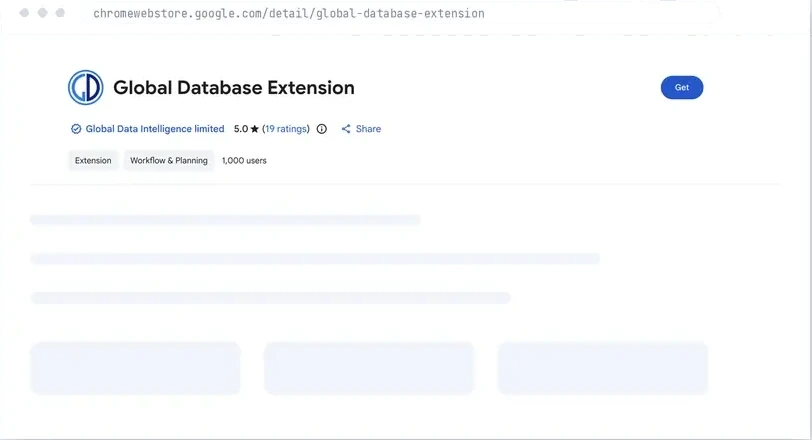
Published by Global Data Intelligence Limited.
Opens the Global Database extension listing in the store for your browser.
Click Get, then confirm the browser prompt

Published by Global Data Intelligence Limited. The browser asks you to confirm the permissions once.
Published by Global Data Intelligence Limited. Confirm the permission prompt when the browser asks.
Enter your work email and confirm the link
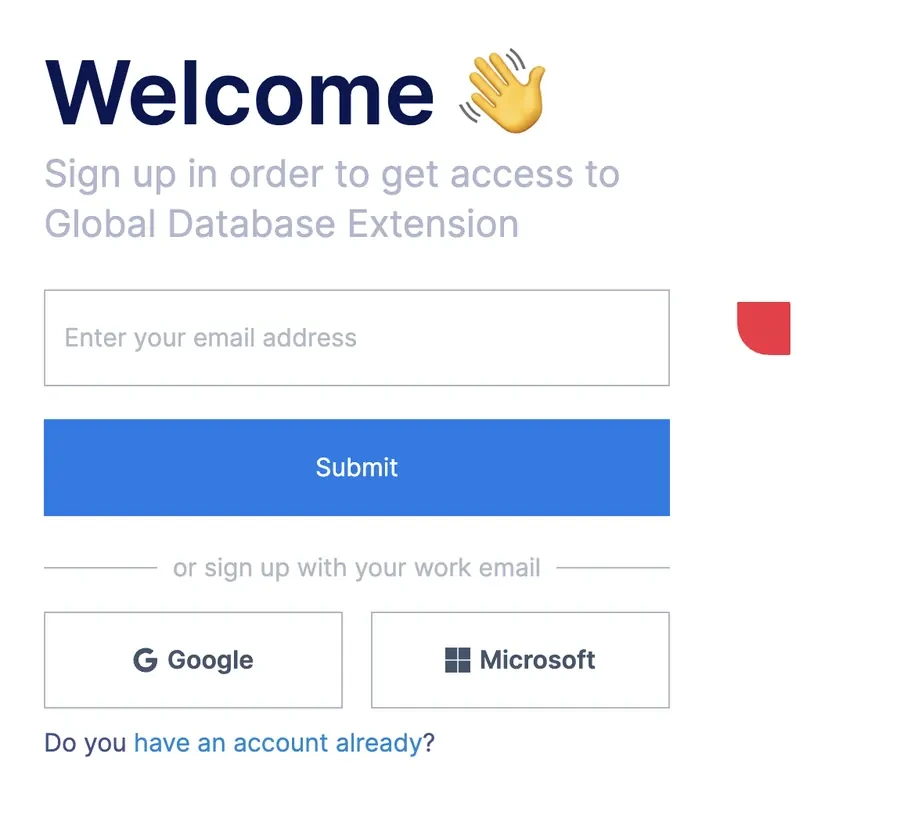
A work email address, or Google and Microsoft sign-in.
Use a work email address and confirm the link. Google and Microsoft sign-in are both supported.
After you click the confirmation link in the email, enter your name, company and work email
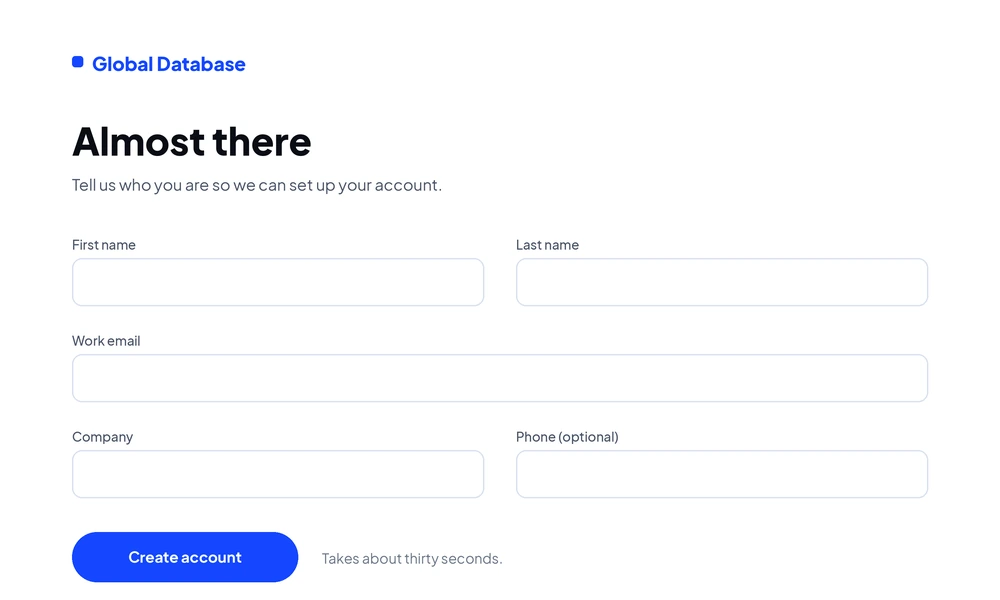
Used for the account and as the sender identity when you email from the panel.
Sets up the account the panel signs you into, and the sender identity used when you email a contact from it.
Open the extensions menu and pin Global Database

Pinning keeps the icon on the toolbar so the panel is one click away.
Open the extensions menu in your browser and pin Global Database, so the icon stays visible on every page.
Click the icon on any company page

Click the toolbar icon and the registry record opens beside the page. Nothing to search for and nothing to copy across.
Click the icon on a company website, a LinkedIn company page or a personal profile, and the record opens beside it.